About HiCon Pro
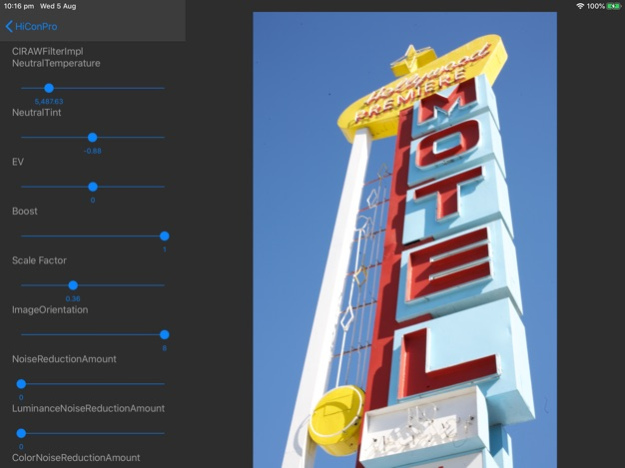
Edit JPEG, PNG, Raw DNG, Live Photos, and Video for the iPad, iPhone, and Mac Desktop. Share your filters on HiCon Pro with anyone. Free, for a limited time. HiCon Pro is written from the ground up in Swift using 3D...
Edit JPEG, PNG, Raw DNG, Live Photos, and Video for the iPad, iPhone, and Mac Desktop. Share your filters on HiCon Pro with anyone. Free, for a limited time.
HiCon Pro is written from the ground up in Swift using 3D acceleration for fast editing of large RAW DNG, HEIC, jpg, and video.
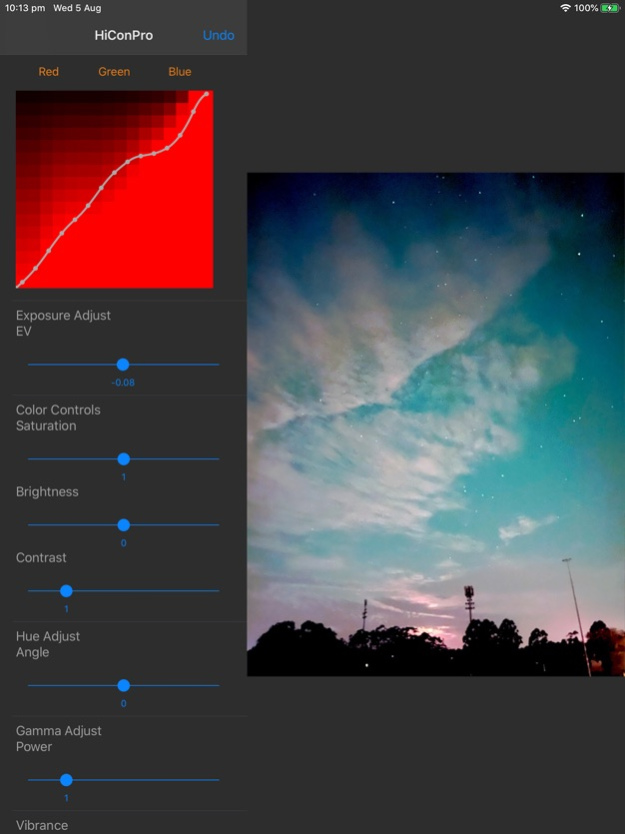
Industrial grade image colour grading with support for curves, multi channel clipping, multi channel colour ramps, and histogram transfer, along with standard exposure, saturation, and luminance controls.
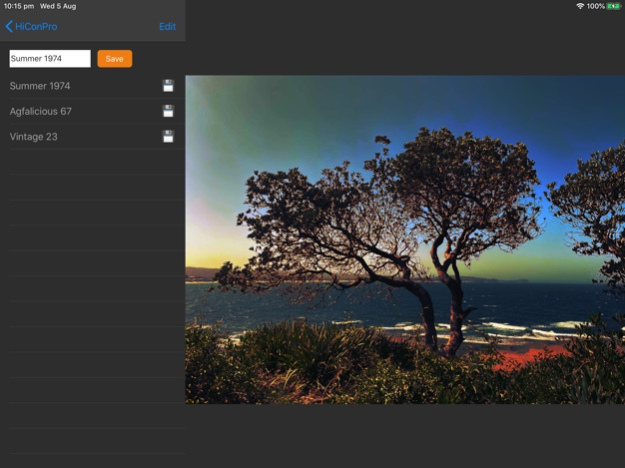
All edits can be saved to an encrypted filter and used inside the app or the HiCon Pro extension, available through the native Apple Photos app, for shortcut access.
All edits are kept in high resolution and video files keep audio tracks intact.
Free for a limited time. Please email us directly for feature requests or bugs.
Aug 5, 2020
Version 5.5
Performance upgrades implementing Apple Metal Kit and Mac Catalyst for uniform functionality between iPhone, iPad, and Mac Desktop. You can now export filters you make between all operating systems using the HiCon filter file format. Export and AirDrop filters directly out of the app. Continuous sliders will provide real time feedback for all edits. Unlimited undo for all edits.
Previous Versions
Here you can find the changelog of HiCon Pro since it was posted on our website on 2016-11-09 12:35:20.
The latest version is 5.5 and it was updated on 2024-04-22 08:53:34. See below the changes in each version.
HiCon Pro version 5.5
Updated At: 2020-08-05
Changes: Aug 5, 2020
Version 5.5
Performance upgrades implementing Apple Metal Kit and Mac Catalyst for uniform functionality between iPhone, iPad, and Mac Desktop. You can now export filters you make between all operating systems using the HiCon filter file format. Export and AirDrop filters directly out of the app. Continuous sliders will provide real time feedback for all edits. Unlimited undo for all edits.
HiCon Pro version 2.0
Updated At: 2009-04-10
Disclaimer
Official App Store Link
We do not host HiCon Pro on our servers. We did not scan it for viruses, adware, spyware or other type of malware. This app is hosted by Apple and passed their terms and conditions to be listed there. We recommend caution when installing it.
The App Store link for HiCon Pro is provided to you by apps112.com without any warranties, representations or guarantees of any kind, so access it at your own risk.
If you have questions regarding this particular app contact the publisher directly. For questions about the functionalities of apps112.com contact us.